

Hi! To publish articles on secBlog_ you need a new or existing Gitlab account.
- Get a Gitlab account
- Send your Gitlab username to me (5xz@pm.me)
- Once I add you as a collaborator, you’ll have access to this repo: https://gitlab.com/secblog/hexo
When you have access to the repo, there are many options for adding or editing files. If you are familiar with git, you may clone the repository and use your favourite editor to make changes, which you can then push back to Gitlab.
However, the easiest way to contribute is to use the built-in Web IDE within Gitlab.
Here is what this process looks like:
Start the Web-IDE

Within Web-IDE, add a new text file

The name of the file will be part of the url

Write your article using Markdown

Note: You can always check the formatting by using the ‘Preview Markdown’ tab!
Commit your changes in a new branch
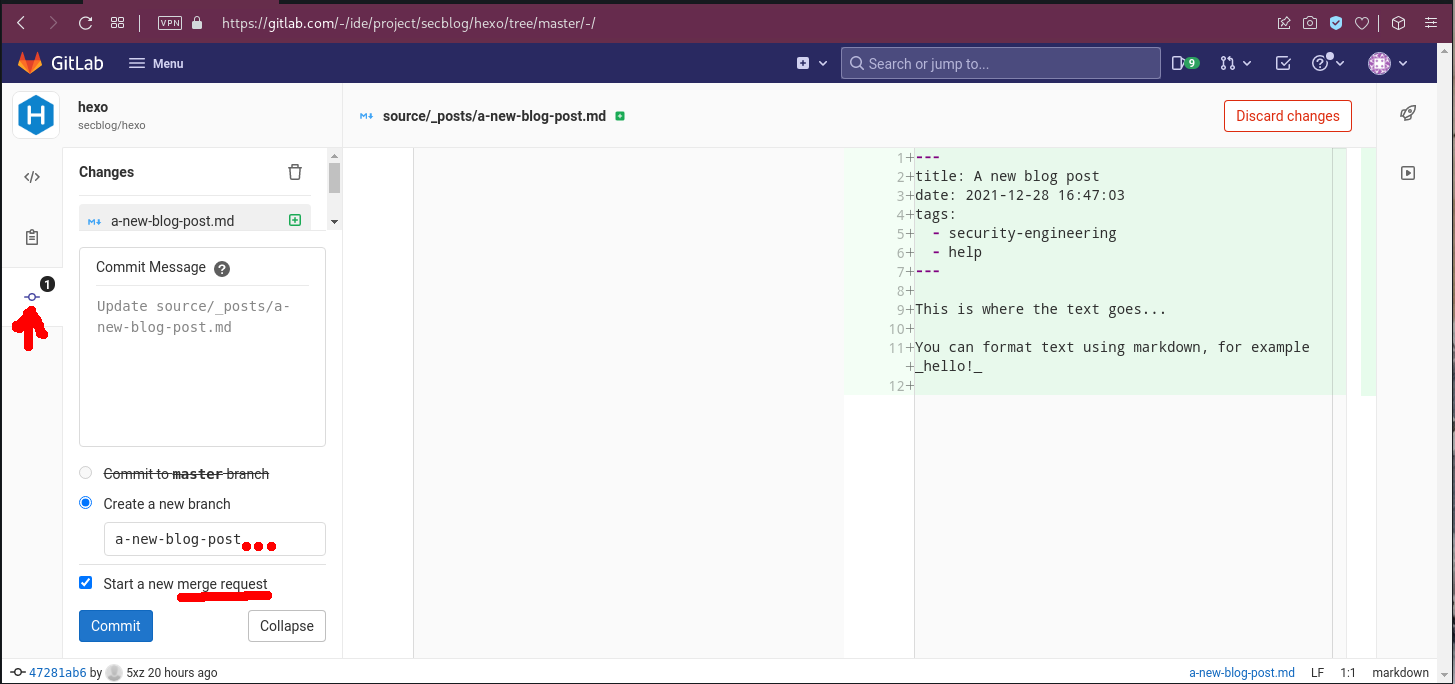
Note: You can ignore ‘failed build’ emails/warnings if you have not verified your Gitlab account with a credit card.
Add a title/description for your Merge Request
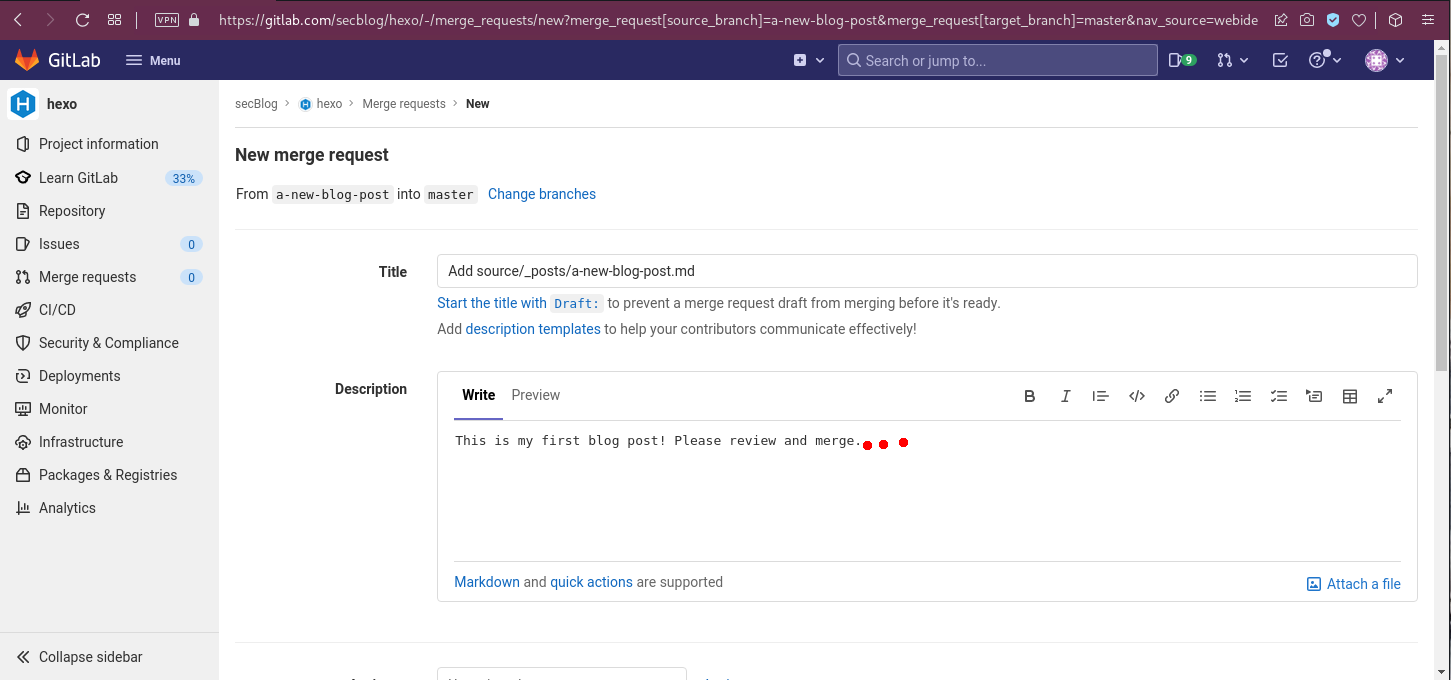
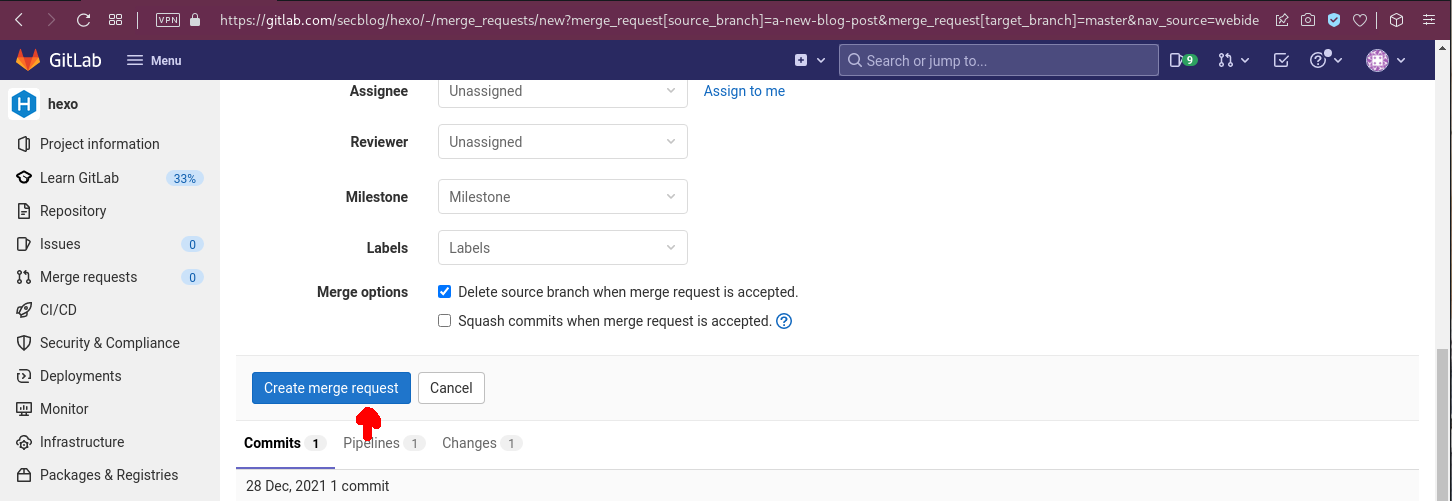
Submit your Merge Request
Wait for feedback from other authors
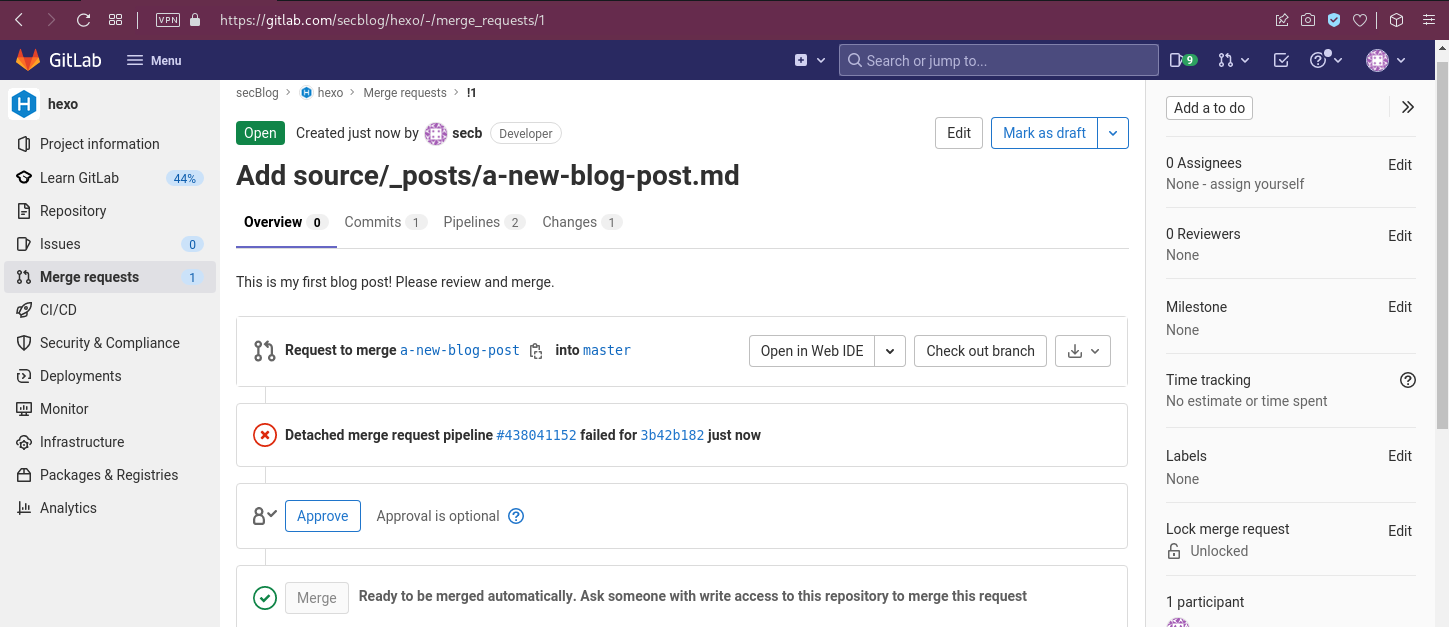
Note: Whenever someone comments or merges our article, you’ll by notified by email.
Once your files are merged into master, your article will be published automatically on the blog.
Useful links
- Markdown reference: https://www.markdownguide.org/
- Hexo documentation: https://hexo.io/docs/